


Navigating through the process of registering, verifying your account, and selecting a subscription has never been smoother. After you register your account, you’ll immediately notice a notification in the upper right corner if your email is yet to be verified. Creating an account is also available with our video tutorials here.
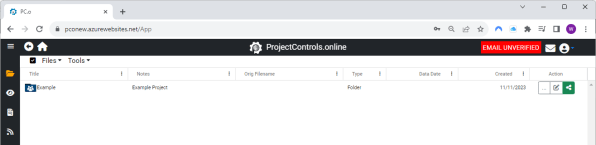
Note: To enjoy the 30-day free trial, it’s crucial to verify your email. Sometimes, the verification email might end up in your junk folder, or if you’re using a company account, it could be held in quarantine. If you encounter any delays, feel free to contact us at Admin@projectcontrols.online for expedited assistance.
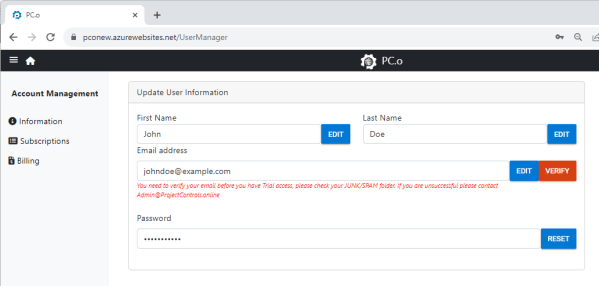
If you’ve entered your email incorrectly, you can go your account, fix your email, and click the VERIFY button to resend the email verification.
Additionally, there are now example schedule files available. Once your email is verified, you’ll gain access to run comparisons, view Gantt charts, analyze data, and perform conversions, just like you would with any schedule files. While the example files themselves cannot be deleted, the folder containing the files can be.
Should you decide to continue your access, you’ll encounter changes in the subscription system and pricing.
The new pricing structure offers flexibility at $25 per month or $200 per year. We believe this provides competitive pricing while offering broader access to analytics tools for project site personnel.
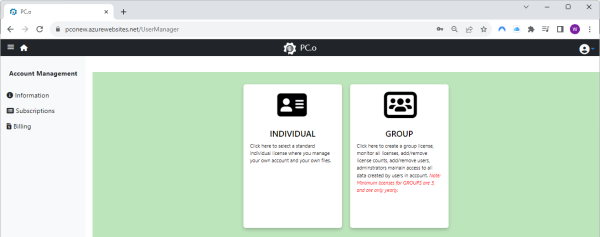
There are two subscription types: individual user and group. The payment system has undergone a complete overhaul from the original site. After selecting your subscription, navigate to the billing section. Within an hour, an invoice will be emailed and generated for you to download on ProjectControls.online. The downloaded PDF invoice includes a link for payment. This feature is particularly useful for corporate and business users seeking reimbursement or forwarding invoices for payment. The billing section will keep a record of all invoices and receipts, which are downloadable. Monthly, invoices will be automatically emailed to users. For group subscriptions, you can specify email addresses to which invoices should be automatically sent. As a group administrator, you retain access to the list of bills for download.
 ProjectControls.online
Leave a comment